

Download WordPress for XAMPP
Unleash website creativity! Download WordPress for XAMPP, the cross-platform solution, and empower seamless development synergy. Uncover the step-by-step process to create, customize, and test your WordPress site locally before its online debut. Optimize your development workflow with the perfect environment provided by XAMPP. Download WordPress for XAMPP now for a smoother and more efficient website creation experience.
1. What is XAMPP?
XAMPP, an open-source cross-platform web server solution package, is the creation of the esteemed Apache Friends.
It includes Apache HTTP Server, MariaDB database, and interpreters for scripts written in PHP and Perl. Essentially, XAMPP creates a local web server environment on your computer, enabling you to run web applications like WordPress without an internet connection.
2. Understanding WordPress

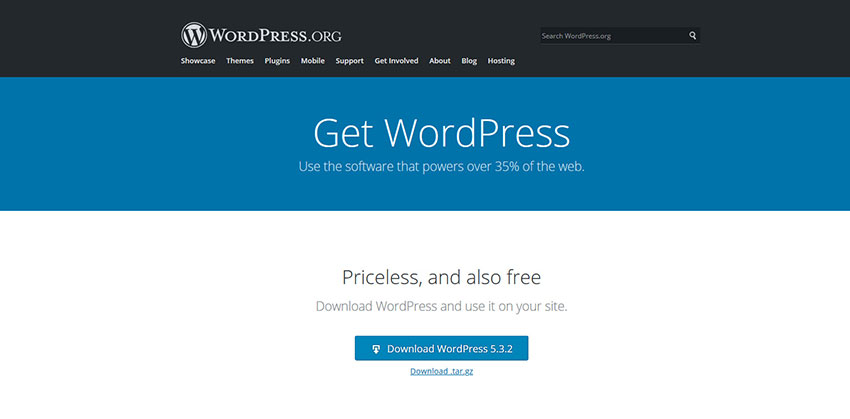
WordPress stands out as a powerful and user-friendly content management system (CMS). It offers a range of features, themes, and plugins, making website creation and management accessible to beginners and experts alike.
3. Why Download WordPress for XAMPP?
Downloading WordPress for XAMPP offers numerous advantages. Firstly, it allows you to develop and test your website offline, ensuring it functions correctly before going live. Secondly, it provides a sandbox environment, enabling experimentation without affecting the live site.
4. Step-by-Step Guide to Download WordPress for XAMPP
- Downloading and Installing XAMPP: Visit the official Apache Friends website, choose the appropriate version for your operating system, and follow the installation steps.
- Getting the Latest WordPress Version: Download the latest WordPress package from wordpress.org.
- Setting Up WordPress with XAMPP: Place the extracted WordPress folder into the “htdocs” directory within the XAMPP installation.
5. Setting Up Local WordPress with XAMPP
Once installed, accessing ‘http://localhost/‘ in your web browser will display the XAMPP dashboard. Navigate to ‘phpMyAdmin’ to create a new database for WordPress. Follow the WordPress installation wizard by visiting ‘http://localhost/wordpress‘ in your browser.
6. Advantages of Using WordPress on XAMPP
Developing WordPress on XAMPP provides a controlled environment. It speeds up development, enables testing of various plugins and themes, and facilitates troubleshooting without affecting the live website.
7. Troubleshooting Common Issues
Sometimes, users face issues during installation, such as port conflicts or permission problems. Refer to official documentation or online forums for solutions to common problems.
Conclusion
In conclusion, downloading WordPress for XAMPP serves as an efficient way to create and test websites locally. It enables users to familiarize themselves with WordPress without risking the integrity of their live sites.
Details